

 admin
admin
Hey gamers! It’s your mobile gaming expert here. We all know the feeling: that awesome new skin for your favorite RoV hero just dropped, or you need more Primogems for that 5-star pull in Genshin Impact. Topping up is a...
Hey gamers! It’s your mobile gaming expert here. We all know the feeling: that awesome new skin for your favorite RoV hero just dropped, or you need more Primogems for that 5-star pull in Genshin Impact. Topping up is a part of the game.
But with over 35 million mobile gamers in Thailand, scammers are also leveling up their tactics. This 2026 guide will show you how to top up safely, so your money goes into your game, not into a hacker’s pocket. Let’s get you geared up!
🎯 Why This Matters
Ignoring safe top-up practices is like running into a team fight with low HP. It’s a risky move that can cost you everything.
Your game account is valuable. It holds hours of your progress, rare items, and memories. A bad top-up can lead to your account being stolen and sold.
Then there’s your financial data. Entering your credit card or e-wallet details on a fake website can lead to unauthorized charges. Protecting your real-world money is just as important as protecting your in-game gold.
Finally, you risk an account ban. Using unauthorized third-party sellers who use stolen credit cards can get your game account permanently suspended by developers like Garena or miHoYo. Don’t let a cheap deal end your gaming career.
📋 Step-by-Step Guide
Ready to top up like a pro? Follow these simple steps every single time to ensure a safe and successful transaction.
- Step 1: Use Official Channels ONLY. This is the most important rule. The safest places to buy currency are always the ones provided by the game developer.
- The in-game store itself (using Google Play or Apple App Store).
- The game’s official website.
- Official third-party partners like Codashop or Razer Gold, which are trusted by developers.
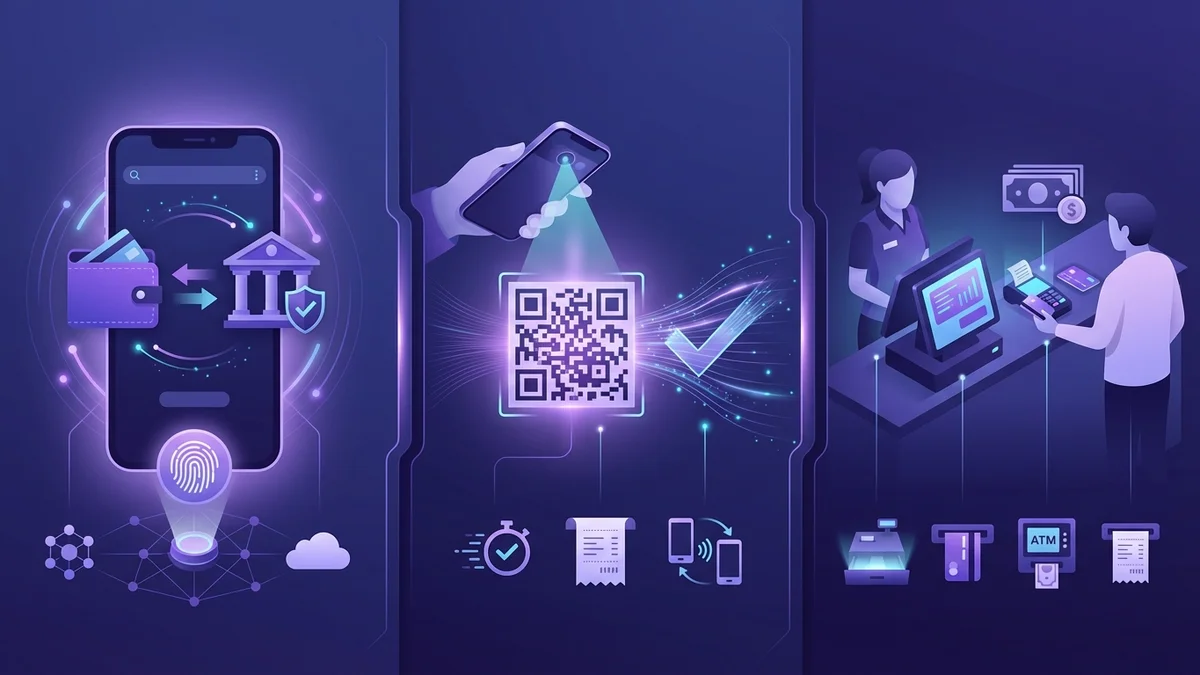
- Step 2: Choose a Secure Thai Payment Method. You have great, secure options here in Thailand that don’t always require a credit card.
- E-wallets: TrueMoney Wallet and Rabbit LINE Pay are extremely popular and secure for gaming top-ups.
- PromptPay: Many official web stores now support QR code payments via PromptPay, which is fast and safe.
- Direct Carrier Billing: Charging the amount to your mobile phone bill with AIS, dtac, or TrueMove H is another convenient option.
- Step 3: Double-Check the Website URL. Before entering any payment info, look at the address bar. Make sure it starts with https:// and that the domain name is correct (e.g., `pay.google.com`, not `pay-google-gift.com`).
- Step 4: Confirm and Keep the Receipt. After paying, you should immediately receive a confirmation. This could be an email, an SMS, or an in-game notification. Always keep a screenshot until the currency appears in your account.
💡 Pro Tips
Want to level up your top-up game? Here are some insider tips to save money and add extra layers of security.
- Hunt for Official Promotions. Game companies often partner with e-wallets. You might see a deal like, “Top up Free Fire Diamonds with TrueMoney Wallet and get 15% bonus currency!” Always check the official social media pages for these deals.
- Create a Dedicated Gaming Wallet. Use a separate e-wallet just for gaming. Keep only a small amount of money in it, like 1,000 THB. This way, if anything ever goes wrong, your main bank account is completely safe.
- Enable Two-Factor Authentication (2FA). This is non-negotiable. Enable 2FA on your game account, your Google/Apple account, and your e-wallet app. It’s the single best defense against hackers.
- Follow Your Favorite Esports Teams. Thai teams like Bacon Time or Talon Esports often have promotions with their sponsors. Following them on social media can alert you to special top-up deals.
- Set a Monthly Budget. It’s easy to overspend. Use your phone’s built-in digital wellbeing tools or a simple note to set a monthly gaming budget and stick to it. Responsible gaming is smart gaming.
⚠️ Common Mistakes to Avoid
Many players fall for the same old tricks. Don’t be one of them. Here are the critical mistakes to avoid.
- NEVER Sharing Your Login Details. No game master or support staff will ever ask for your password. If someone messages you asking for your login to “add currency,” it is 100% a scam. Block and report them immediately.
- Falling for “Too Good to Be True” Deals. A random Facebook page offering 90% off on RoV Vouchers is a trap. These services use stolen information, and using them will likely get your account banned or your data stolen.
- Using Public Wi-Fi for Payments. Never make a payment when connected to free Wi-Fi at a cafe or mall. These networks are often unsecured, making it easy for hackers to intercept your personal information. Use your mobile data (4G/5G) instead.
- Buying or Trading Accounts. This is against the terms of service for almost every game. You have no protection if the original owner reclaims the account after you’ve paid them. It’s a huge risk.
- Ignoring In-Game Purchase History. Regularly check your Google Play or App Store purchase history. If you see a transaction you don’t recognize, report it immediately to the platform and your bank.
🏆 Quick Summary
Feeling overwhelmed? Don’t be. Just remember these core principles to stay safe while topping up your favorite mobile games in Thailand.
- Stay Official: Only use the in-game store or official partner websites like Codashop.
- Use Secure Payments: Stick to trusted Thai methods like TrueMoney Wallet or PromptPay.
- Protect Your Info: Never share your password and always enable 2FA.
- Be Skeptical: If a deal seems too good to be true, it is a scam.
Now go get that skin, pull for that character, and climb those ranks. Game on safely!


Comments (0)