

Minecraft on mobile has over 50 million downloads, but most reviews ignore a crucial detail: how it actually runs on modern mid-range phones. Before you spend your money, here is our brutally honest review covering the battery drain reality, touch control frustrations, and the absolute joy of cross-platform multiplayer in 2026.
What is Minecraft: Pocket Edition (Bedrock)?
Minecraft on mobile (officially part of the “Bedrock Edition”) is the exact same survival sandbox game you know and love, scaled down to fit in your pocket. Unlike the Java version on PC, Bedrock is optimized natively for mobile processors, allowing you to explore infinite biomes, mine for diamonds, and build massive castles entirely via your touchscreen.
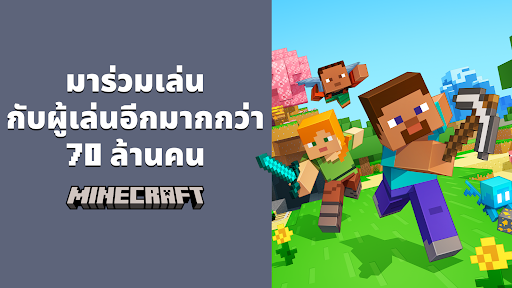
Whether you are fending off Creepers in Survival mode or constructing a redstone calculator in Creative mode, the core loop remains untouched. The biggest advantage of the mobile version is portability—you can hop into your friend’s server while riding the bus or lying in bed.
Gameplay & Core Mechanics on Mobile
The transition from keyboard and mouse to a glass screen is undeniably the biggest hurdle. Mojang recently updated the touch controls with a new D-Pad and Action button layout, which vastly improves combat fluidity. However, as many players on Reddit frequently point out, inventory management remains incredibly clunky and slow compared to dragging and dropping with a mouse.

Mining and movement take a few hours of muscle memory to master. Fortunately, if touch controls aren’t your style, Minecraft Mobile offers flawless Bluetooth controller support. Sync an Xbox or PlayStation controller to your phone, and it instantly feels like you are playing on a console.
Graphics & Performance (The Battery Reality)
We tested Minecraft on popular mid-range phones like the Samsung Galaxy A54, OPPO A78, and Vivo Y36. While the nostalgic pixel graphics look deceptively simple, generating infinite chunks of terrain asks a lot of your phone’s CPU.

The reality? Your phone will get noticeably hot within 45 minutes of heavy gameplay, especially in crowded biomes or when rendering large amounts of water. Battery drain is very high. To keep your device cool during 3-hour multiplayer sessions, we highly recommend lowering the “Render Distance” in the video settings to 8 or 10 chunks.
Cross-platform & Safe Modding
The absolute best feature of Minecraft Bedrock is its 100% seamless cross-play. You can be on your Android phone, while your friends are playing on PC, Xbox, and Nintendo Switch—all in the same world at the same time.
Modding on mobile is also supported through “Add-Ons”. The safest route is buying them directly from the in-game Marketplace using Minecoins. You can download third-party mods .mcpack files from the internet for free, but be cautious of sketchy sites loaded with adware. Stick to trusted community hubs like MCPEDL.
FAQ
If I buy it on iOS, do I have to buy it again on Android?
Yes. Purchases are tied to the specific app store (Apple App Store or Google Play). However, your Microsoft account and in-game Minecoins are shared across all platforms.
Do you need Wi-Fi or data to play?
No. You can play your single-player offline worlds perfectly fine without an internet connection. Wi-Fi is only required for multiplayer servers.
Is Minecraft safe for 7-year-olds?
Yes, the single-player game is incredibly safe and educational. However, parents should monitor or disable public online multiplayer servers (like Hive or Cubecraft) to prevent interaction with strangers.
Final Verdict
Despite the high battery drain and the learning curve of touch controls, Minecraft remains the undisputed king of mobile sandbox games. The fact that you have a fully-featured, cross-platform multiplayer universe living inside your smartphone is well worth the premium price tag.
Pros & Consข้อดี & ข้อเสีย
How to Download (Safe Guide)วิธีดาวน์โหลด (คู่มือปลอดภัย)
Minecraft mobile review is available on the following platforms. Follow our safe download guide for each store.Minecraft mobile review พร้อมให้บริการบนแพลตฟอร์มต่อไปนี้ ทำตามคู่มือดาวน์โหลดอย่างปลอดภัยสำหรับแต่ละร้านค้า