Plants vs. Zombies is a lane-defense strategy game built around clear strategy, memorable units, and a campaign that grows steadily. This review focuses on the parts that matter before installing: offline capability, controls, performance, monetization, and whether the game still deserves space on an Android phone in 2026. For broader storage context, our under-500MB offline Android comparison separates store download size from the estimated installed footprint.
Quick verdict
Plants vs. Zombies remains an easy recommendation for players who like its genre. Its core campaign can be enjoyed without a permanent connection after the required files are installed. Online events, cloud features, advertising, or store functions may still need data, so launch it once before a trip and test the mode you intend to play.
Gameplay and controls
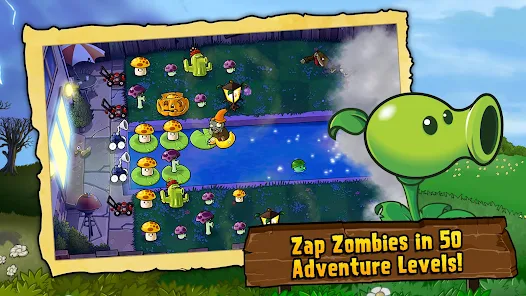
Sun is the core resource: spend it on plants that produce more sun, block lanes, or attack different zombie types. New enemies force you to rethink formation, timing, and reserve resources instead of relying on one setup.
The touch interface is readable on a phone, and the first stages explain the essential actions without a long tutorial. The strongest moments come when a familiar plant must solve a new lane problem rather than when the interface adds more buttons. Players who enjoy planning but prefer spatial observation without waves or resource income can compare it with Monument Valley 2’s optical-illusion puzzles.
Can you play Plants vs. Zombies offline?
Yes, the main solo gameplay is usable offline after installation and initial setup. Availability can change by version and region. Open the game on Wi-Fi first, let additional resources finish, then enable Airplane Mode for a practical test. Events, ads, purchases, leaderboards, and account synchronization are not guaranteed offline.
Performance, storage, and battery
The game is suitable for mainstream Android hardware, although the final installed size may be larger than the Play Store download because of extracted files, cache, and updates. Keep extra free storage, close heavy background apps, and lower visual settings when available if the phone becomes warm. Battery drain depends heavily on brightness, frame rate, and session length.
Ads and purchases
Monetization should be treated separately from the core design. Optional ads or purchases can speed progression or unlock extras, but they are not a reason to download unofficial packages. Use the verified Google Play listing linked on this page and review the current in-app purchase disclosures before installing.
Who should play it?
Choose Plants vs. Zombies if you want clear strategy, memorable units, a steadily expanding campaign, and stages that fit short sessions. If direct character control sounds more appealing than managing several lanes, Dan the Man offers compact platforming and brawler stages.
Final verdict
Plants vs. Zombies earns its place in the offline shortlist because its central mechanic remains clear, responsive, and enjoyable without constant connectivity. It is not completely free from grind or online extras, but the solo experience is substantial enough to justify trying through Google Play.
Pros & Consข้อดี & ข้อเสีย
How to Download (Safe Guide)วิธีดาวน์โหลด (คู่มือปลอดภัย)
Plants vs. Zombies Review 2026: Is It Worth Playing? is available on the following platforms. Follow our safe download guide for each store.Plants vs. Zombies Review 2026: Is It Worth Playing? พร้อมให้บริการบนแพลตฟอร์มต่อไปนี้ ทำตามคู่มือดาวน์โหลดอย่างปลอดภัยสำหรับแต่ละร้านค้า